
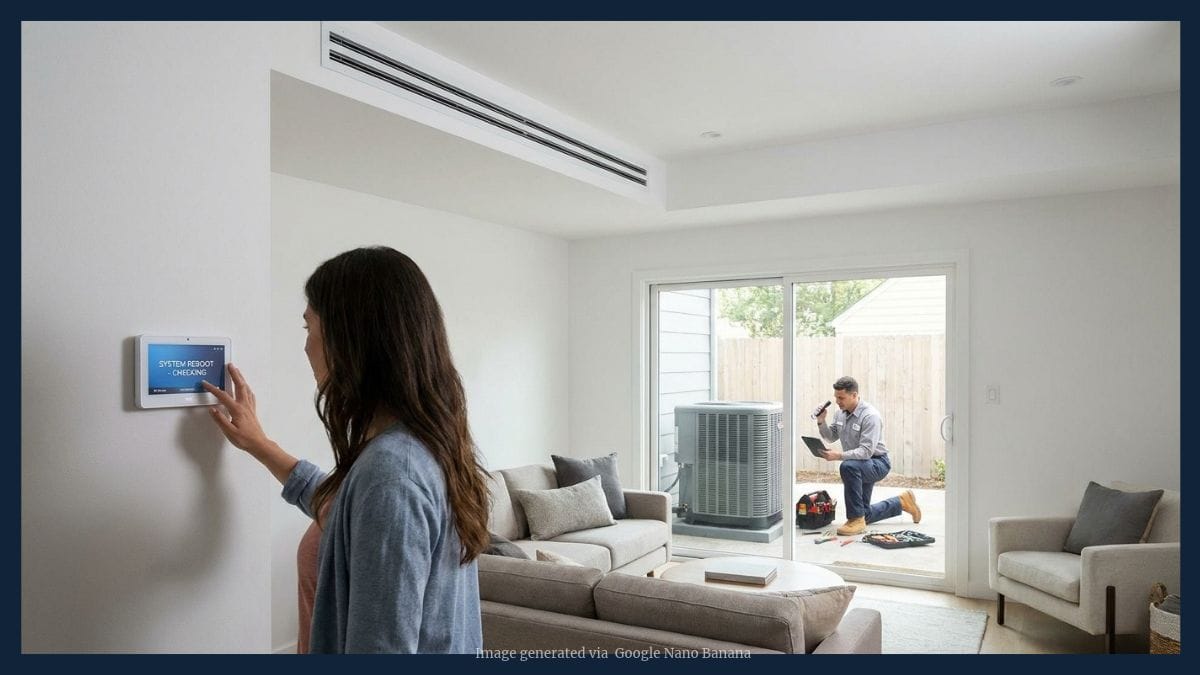
If your AC is not cooling after a power outage, it may be waiting for a built-in compressor restart delay, have a tripped circuit breaker, or have lost its thermostat settings. A power surge when electricity returns can also damage electrical components, preventing the outdoor unit or compressor from starting.
- A short delay after power returns can be normal because some systems protect the compressor from restarting too quickly.
- If the indoor fan runs but the air is warm, the outdoor unit or cooling cycle may not be operating.
- A tripped breaker or changed thermostat setting may explain why the AC stopped cooling.
- Electrical surges can damage capacitors, control boards, contactors, or other components.
- Never repeatedly reset a tripping breaker or open electrical equipment panels to investigate a fault.
- If the AC runs normally but still cannot cool the home, allow time for the temperature to recover and seek service if the problem persists.
Why is my AC not cooling after a power outage?
An air conditioner needs a stable power supply and functioning controls to operate its indoor blower, outdoor fan, and compressor. A power interruption can stop this sequence, and electricity returning does not always mean every component will restart immediately.
The problem may be temporary, such as a built-in restart delay or thermostat setting that needs correcting. However, a power surge or unstable voltage during restoration can also cause electrical faults.
The first thing to determine is whether the AC is completely off, running without producing cold air, or operating normally but struggling to cool the house. Each symptom points toward a different set of possible causes.
Common reasons your AC is not cooling after a power outage
1. The compressor is waiting through a restart delay
Many air conditioners and heat pumps have a protective delay that prevents the compressor from restarting immediately after shutting down. Some thermostats also display a blinking cooling indicator or a message such as “Wait” or “Starting Soon” while the system delays operation.
This delay helps protect the compressor from repeated rapid starts. It can be especially noticeable when electricity returns after an outage.
What you may notice:
- The thermostat appears to be calling for cooling, but the outdoor unit remains quiet.
- The cooling indicator flashes.
- The indoor fan operates, but the system does not immediately produce cold air.
- Cooling resumes after several minutes.
What to do: Once the electricity supply is stable, leave the system alone for several minutes. Waiting around 5 to 10 minutes is a reasonable initial check, but follow your equipment or thermostat manual if it specifies a different period.
If the system still does not operate normally after the delay, investigate the other possibilities below.
2. A circuit breaker has tripped
A power interruption or surge during restoration can trip a breaker supplying the air conditioner. Some central HVAC systems have separate electrical supplies for the indoor air handler and outdoor condenser.
This can create a confusing situation: the thermostat and indoor fan may still work even though the outdoor unit has lost power.
What you may notice:
- The thermostat display is on, but the outdoor unit does not start.
- The indoor blower runs while the vents deliver room-temperature or warm air.
- The entire system is unresponsive.
- A breaker associated with the HVAC equipment is in the tripped position.
What to do: If you can safely identify the correct breaker and there are no signs of electrical damage, consult the equipment instructions and electrical panel labeling. A single reset may be appropriate if the breaker has tripped and there is no indication of a continuing fault.
If it trips again, leave it off and call a qualified professional. Do not repeatedly reset it, replace it with a higher-rated breaker, or open electrical equipment to search for the problem.
3. The thermostat lost power or settings
Some thermostats may restart after an outage, lose their clock or schedule, or require new batteries. Others retain their settings but temporarily display a startup message.
If the thermostat is no longer calling for cooling, the AC may not start even after the power supply has returned.
What you may notice:
- The thermostat screen is blank.
- The system is set to fan-only mode instead of cooling.
- The temperature setting is higher than the room temperature.
- The schedule or clock has changed.
- The thermostat displays an error or restart message.
What to do:
- Confirm that the thermostat display is working.
- Set the mode to Cool.
- Set the target temperature below the current room temperature.
- Check the fan setting and schedule.
- Replace thermostat batteries if your model uses them and the batteries are depleted.
If the thermostat remains blank despite having working batteries, or the system does not respond to the cooling command, a power supply or control-circuit problem may require professional diagnosis.
4. A power surge damaged an electrical component
The restoration of electricity after an outage can sometimes involve a voltage surge or unstable supply. If the surge reaches the HVAC system, it may damage electrical or electronic components.
Potentially affected parts include the control board, transformer, contactor, capacitor, or other components needed to start and operate the system.
What you may notice:
- The AC worked before the outage but will not start afterward.
- The thermostat is powered, but the equipment does not respond.
- The outdoor unit makes a humming or buzzing sound without starting.
- The system starts and then shuts down unexpectedly.
- A burning odor or visible electrical damage is present.
What to do: Do not open the outdoor unit or attempt to test or replace internal electrical components yourself. Capacitors can retain a dangerous electrical charge even after power is disconnected.
Arrange an HVAC inspection. If there is smoke, sparking, or a strong electrical burning smell, stay away from the equipment and switch off power only if it is safe to do so. Seek urgent assistance when necessary.
5. The outdoor unit is not running
In a typical split-system air conditioner, the indoor unit circulates air while the outdoor unit helps remove heat from the home. If the outdoor unit does not operate, the indoor fan may continue blowing air even though effective cooling has stopped.
After an outage, possible explanations include a tripped outdoor-unit breaker, a control problem, a failed starting component, or a protective delay.
What you may notice:
- Air comes from the indoor vents, but it is not cold.
- The outdoor fan is not turning.
- The outdoor unit is silent or makes an unusual humming noise.
- The thermostat appears to be working normally.
What to do: From a safe distance, observe whether the outdoor unit starts after the normal delay. Do not remove its panels, touch wiring, or reach through the grille.
If the outdoor unit remains inactive while the indoor blower operates, or it makes unusual noises, arrange professional service.
6. The air filter is dirty or airflow is restricted
The timing of the outage may be coincidental. If your AC was already struggling because of a clogged filter or blocked vents, you may notice the problem when you restart it.
Restricted airflow can reduce cooling performance and, under some conditions, contribute to a frozen evaporator coil.
What you may notice:
- Airflow from the vents is weak.
- The AC runs for a long time without cooling effectively.
- The filter looks heavily coated with dust.
- Ice appears on accessible refrigerant lines or around the indoor unit.
What to do: Inspect the air filter and replace or clean it according to the manufacturer’s instructions. Make sure supply vents and return grilles are unobstructed.
If you see ice, stop cooling and arrange service. Do not chip away at the ice or assume that low refrigerant is the cause. A technician needs to determine why the coil froze.
7. The AC is cooling, but the house is still too warm
After a lengthy outage, a house may have absorbed substantial heat from the outdoor temperature, sunlight, and warm indoor surfaces. Even after the AC restarts, it can take time to bring the indoor temperature back down.
This is different from a system that has stopped cooling entirely.
What you may notice:
- The outdoor unit and indoor blower are operating.
- Air from the vents feels cooler than the room.
- The room temperature decreases gradually.
- The house was especially hot when electricity returned.
What to do: Keep windows and exterior doors closed where practical, reduce direct sunlight with curtains or blinds, and avoid adding unnecessary indoor heat.
Allow the system time to recover. If the indoor temperature does not gradually improve, the AC runs continuously without achieving the set temperature, or airflow is weak, investigate further or arrange professional service.
How to troubleshoot an AC that is not cooling after a power outage
Follow these steps in order. They are intended for basic homeowner checks, not electrical repairs.
Step 1: Confirm that power has returned consistently
Check whether the lights and other household electrical equipment are operating normally. If electricity is flickering, repeatedly cutting out, or behaving abnormally, do not keep restarting the AC.
Wait until the power supply is stable. If the problem appears to affect the wider electrical supply, contact your electricity provider or a qualified electrician as appropriate.
Step 2: Wait for the normal restart delay
If power is stable, give the AC several minutes to restart. Many systems have a compressor protection delay.
Avoid switching the thermostat or breakers on and off repeatedly. Doing so can interfere with the normal restart sequence and will not repair an electrical fault.
Step 3: Check the thermostat
Confirm the thermostat is set to Cool and that its target temperature is below the current room temperature.
If the display is blank, check the batteries if applicable. If the thermostat shows an error, note the message before seeking assistance.
Step 4: Check the filter and vents
Look at the air filter and clean or replace it as directed. Ensure that the supply vents and return grilles are not blocked by furniture, curtains, or stored items.
These checks are particularly useful if the AC runs but delivers weak airflow.
Step 5: Observe the indoor and outdoor units
From a safe location, note what happens when the thermostat calls for cooling:
- Does the indoor blower run?
- Does the outdoor unit start after the delay?
- Does the system produce cooler air?
- Are there unusual noises, odors, or visible ice?
These observations can help an HVAC technician narrow down the cause without you having to open the equipment.
Step 6: Check for a tripped breaker only if it is safe
If you know which breaker supplies the AC and it appears to be tripped, follow the panel and equipment instructions. Do not touch electrical equipment if there is water, visible damage, a burning odor, or another sign of danger.
If a breaker trips again after one reset, leave it off. Repeated resetting can create additional risk and will not resolve the underlying fault.
Step 7: Decide whether service is needed
If the AC still does not cool after the normal restart delay and basic checks, arrange professional diagnosis. This is especially important if the outage was accompanied by a storm, lightning, repeated power fluctuations, or a breaker trip.
What you notice and what it may mean
| Symptom after the outage | Possible explanation | Recommended next step |
|---|---|---|
| AC does nothing immediately after power returns | Normal startup delay or loss of power | Wait several minutes and check the thermostat |
| Thermostat is blank | Depleted batteries or a control-power problem | Check batteries if applicable; seek service if it remains blank |
| Indoor fan runs, but the air is warm | Outdoor unit is not operating or cooling has failed | Observe the outdoor unit from a safe distance and arrange service if it does not start |
| Breaker trips when AC starts | Electrical or equipment fault | Leave the breaker off and call a professional |
| Outdoor unit hums but does not start | Possible starting-component or electrical problem | Stop testing and arrange service |
| Airflow is weak at the vents | Dirty filter, restricted airflow, or another HVAC fault | Check the filter and clear vents |
| Ice appears on the indoor unit or refrigerant lines | Frozen coil or cooling-system problem | Stop cooling and arrange professional service |
| AC runs and delivers cool air, but the house remains warm | The house may need time to recover from accumulated heat | Monitor temperature and seek service if it does not improve |
These symptoms are clues, not definitive diagnoses. Several faults can produce similar behavior.
When should you call an HVAC professional?
- The AC still does not cool after the restart delay and basic checks.
- The indoor fan runs, but the outdoor unit remains inactive.
- The outdoor unit hums, buzzes, or repeatedly attempts to start.
- A breaker trips again after being reset once.
- The thermostat remains blank despite basic battery checks.
- The system repeatedly starts and stops.
- You see ice buildup or suspect damage to the cooling system.
- You notice a burning odor, smoke, sparks, or visible electrical damage.
A technician can check the equipment’s power supply, control circuit, safety controls, capacitor, contactor, compressor, and circuit boards as appropriate. They can also determine whether the problem involves the refrigerant system or restricted airflow.
Should you hire a professional?
If the problem is simply a thermostat setting or a normal restart delay, you may not need a service visit. Checking a filter and ensuring vents are clear are also reasonable homeowner tasks.
However, an AC that stops cooling immediately after a power outage may have an electrical fault that cannot be confirmed through visual inspection alone. Do not attempt to replace a capacitor, open a control panel, bypass a safety switch, or work on refrigerant lines.
When booking service, explain that the cooling problem began after a power outage. Tell the technician whether the indoor blower runs, whether the outdoor unit starts, whether a breaker tripped, and whether you noticed unusual sounds or smells. These details can help focus the initial diagnosis.
How to protect your AC during future power outages
You cannot prevent every outage or surge, but you can reduce avoidable risks and make recovery easier.
- Use the thermostat correctly. Follow the manufacturer’s instructions when shutting down or restarting your system.
- Consider appropriate surge protection. Ask a qualified HVAC professional or electrician whether a compatible surge protective device is suitable for your equipment and electrical installation.
- Keep up with maintenance. Inspect filters regularly and schedule maintenance according to the equipment manufacturer’s recommendations.
- Keep outdoor equipment clear. Maintain suitable clearance around the outdoor unit and remove debris when it is safe to do so.
- Avoid repeated restarts during unstable power. Wait for electricity to stabilize before asking the compressor to restart.
- Know your electrical panel. Understand the panel labeling, but do not work on damaged or unsafe electrical equipment.
- Keep the equipment manual accessible. Restart delays and control indicators vary between models, so the manual is the best reference for your specific unit.
Surge protection can reduce certain electrical risks, but it does not guarantee that HVAC equipment will be protected from every power disturbance.
Frequently asked questions
Wait several minutes after electricity has stabilized. Many systems have a restart delay of approximately 3 to 10 minutes, although the exact period varies by model and control settings. Follow your equipment manual and avoid repeatedly switching the system on and off.
The outdoor unit may not have restarted, a breaker may have tripped, the thermostat may no longer be calling for cooling, or an electrical component may have failed. If the system continues blowing warm air after the normal delay, check the thermostat and arrange service if the cause is not obvious.
Yes. The outage itself may simply stop the system, but a surge or unstable voltage during power restoration can damage electrical and electronic components. Not every AC problem after an outage indicates damage, so a technician should confirm the cause before recommending repairs.
The indoor and outdoor components have different functions and may have separate electrical supplies or controls. If the outdoor unit loses power or cannot start, the indoor fan may continue moving air without producing effective cooling.
A single reset may be appropriate if a breaker has tripped, you can identify it correctly, and there are no signs of danger. If it trips again, leave it off and contact a qualified professional. Never repeatedly reset a breaker to force the AC to run.
Many systems resume their previous operating settings after power returns, sometimes following a built-in delay. Others may need the thermostat checked or reset. The behavior depends on the equipment, thermostat, and control configuration.
The house may have accumulated heat while the AC was off, so it can take time to cool down. If the vents deliver cool air and the indoor temperature gradually falls, the system may simply be recovering. If the temperature does not improve, investigate airflow and equipment operation.
If the system operates normally and there are no warning signs, you can monitor its performance. Stop using it if you notice smoke, sparks, an electrical burning smell, repeated breaker trips, or unusual humming. Have the system inspected if you suspect electrical damage.
Sources and references:
- ENERGY STAR: Maintenance checklist
- U.S. Department of Energy: HVAC proper installation of filters
- GE Appliances: Air conditioner owner and installation manual
